reverse image search Scroll through any social feed or news site and you’ll notice something right away: images rule the internet.
We use pictures to tell stories, sell products, share memories, and—let’s be honest—win arguments. But with this constant flood of visuals, a big question pops up: Can you actually trust what you see? Where did that image come from? Was it edited? Is someone using your photo without permission?
That’s exactly where reverse image search becomes your best friend.
Think of it as a “search engine for pictures” instead of words. You give it an image, and it hunts the web to tell you where that picture lives, how it’s used, and whether there are similar or edited versions out there.
In this complete guide, we’ll break it all down in simple, human language—no technical jargon, no headaches. By the end, you’ll know how to use reverse image search like a pro on Google, Lenso.ai, Bing, TinEye, Yandex, and more, plus how to use it on social platforms and in real‑life situations.
What Is Reverse Image Search?
Let’s start with the basics.
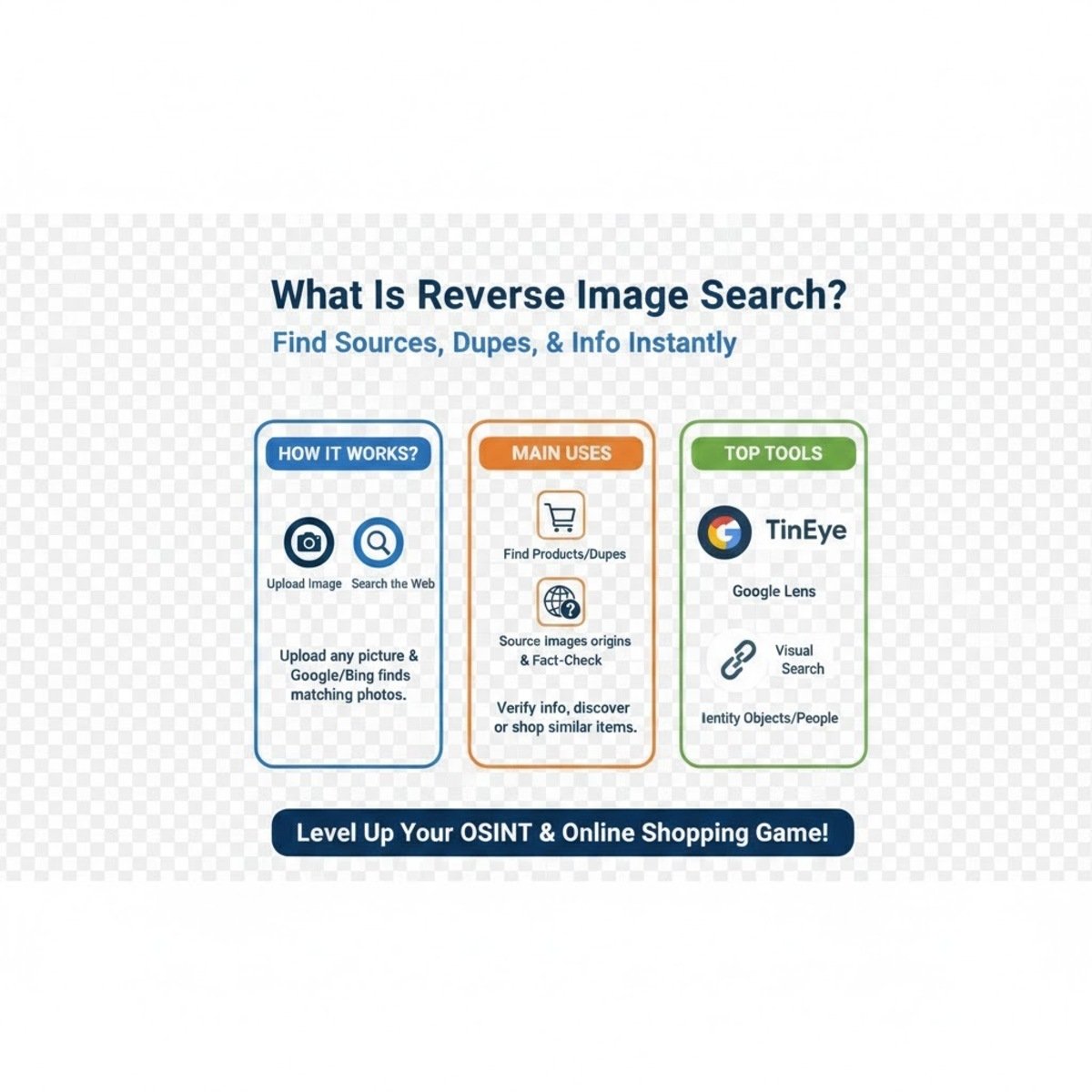
Reverse image search is a way to search the internet using an image instead of text. Instead of typing “red shoes from ad” or “funny cat meme,” you upload a photo or paste an image URL—and the search engine does the rest.
Here’s what it tries to find for you:
-
Exact copies of the same picture
-
Slightly edited versions (cropped, resized, or color‑changed)
-
Visually similar images
-
Web pages where that image appears
This is incredibly useful when:
-
You don’t know what to type into a normal search bar
-
You want to confirm the origin of a picture
-
You’re checking if an image is real or taken out of context
In short, when words fail, reverse image search steps in.
How Does Reverse Image Search Actually Work?
It feels like magic, but there’s solid tech behind it.
Here’s the simple version of what happens when you upload a photo to a reverse image search tool:
You upload the image or paste a URL
The process starts the moment you feed the tool a picture.
The tool breaks the image down into visual features
It doesn’t care about the file name. It studies:
-
-
Colors
-
Textures
-
Shapes
-
Edges and lines
-
Patterns and structures
-
It compares those features to millions (or billions) of images online
Using advanced visual recognition and AI, the system scans giant image databases in seconds, looking for:
-
-
Exact matches
-
Close visual matches
-
Edited versions that still share the same core features
-
list of result
You’ll see:
-
-
Websites that use that image
-
Visually similar images
-
Sometimes “best guess” descriptions or related keywords
-
The system keeps improving over time
As the algorithms learn from more data, they become better at:
-
-
Recognizing complex patterns
-
Handling edits and filters
-
Matching partial or low‑quality images
-
The result? A fast, user‑friendly way to unlock the story behind almost any picture—no expert skills required.
Popular Reverse Image Search Tools You Should Know

There’s no single “best” tool for every situation. Each platform has its own strengths. Depending on what you’re trying to find, you might switch between a few of them.
Let’s look at the major players.
Google Images: The Classic Reverse Image Search
Google Images is the tool most people start with—and for good reason.
Why people love it:
-
Huge image database
-
Simple, familiar interface
-
Fast results from across the web
You can:
-
Upload an image from your device
-
Drag and drop a picture into the search box
-
Paste the URL of an online image
Google will then show you:
-
Visually similar images
-
Web pages that use the image
-
Sometimes a guessed “label” or description of the content
If you just want a general sense of where an image appears online, this is often the first—and sometimes the only—tool you need.
Lenso.ai: The Best for Face Search and Deep Image Tracking
Lenso.ai takes reverse image search to another level, especially when it comes to faces and detailed tracking.
Upload a picture to Lenso, and you can explore categories like:
-
People – find where a face appears online
-
Duplicates – copyright image search for exact or near‑exact copies
-
Places – visually identify locations
-
Related – find contextually connected content
-
Similar – explore look‑alike images
With Lenso.ai, you can:
-
Find your old photos online
-
Check whether and where your photos appear on other sites
-
Spot potential copyright infringement
-
Detect catfishing or fraud
-
Identify romance scammers using stolen images
You can also:
-
Filter results by keywords or specific domains
-
Sort results by newest, oldest, or best/worst match
-
Set up a free alert if no results show up yet—Lenso will notify you when that image appears somewhere in the future
If you’re serious about protecting your identity or creative work, Lenso.ai is one of the most powerful tools you can use.
Bing Visual Search: Great for Products and Objects
Bing Visual Search is underrated but very strong, especially when it comes to recognizing objects, products, and places.
It’s particularly helpful if you want to:
-
Identify a product from an image
-
Find where to buy something you saw online or in a photo
-
Learn more about a landmark, plant, or item in a picture
Bing often shines when you care about details—like specific accessories, logos, or small objects that other tools may overlook.
TinEye: The Specialist in Image Tracking and History
TinEye has one main mission: track images.
It uses unique visual fingerprinting technology to:
-
Find where an image first appeared
-
Detect resized or edited versions
-
Show how an image has changed over time
This makes TinEye a favorite for:
-
Photographers
-
Designers
-
Brands
-
Journalists
They often use it to:
-
See how their work is used across the web
-
Catch unauthorized usage
-
Check if someone has manipulated an image for misleading purposes
If you care about copyright and image history, TinEye is a must‑try.
Yandex Images: Strong for Faces, Places, and Global Sources
Yandex is a search engine popular in Russia and other regions, but its image search is widely used worldwide.
Why? Because it’s incredibly good at:
-
Facial recognition (within public images)
-
Identifying places, artworks, and objects
-
Finding sources that Western tools sometimes miss
Yandex has a broad, regionally diverse database, which means it often finds:
-
Versions of images on non‑English sites
-
Photos hosted on regional platforms
-
Different angles or crops of the same scene
If Google and Bing don’t show much, Yandex can be your secret weapon.
Mobile Apps and Browser Extensions: Reverse Search on the Go
You don’t always sit at a computer when inspiration—or suspicion—strikes.
That’s where mobile and browser shortcuts come in.
On mobile (Android & iOS):
-
Many browsers let you long‑press an image and choose “Search image with…”
-
Some camera apps and gallery apps integrate visual search directly
-
Tools like Google Lens (built into many Android phones) let you search from your camera in real time
With browser extensions:
-
Install reverse image search add‑ons for Chrome, Firefox, or Edge
-
Right‑click any online image and choose a tool (Google, Lenso.ai, Bing, etc.)
-
Run instant searches without leaving the page
These shortcuts save time and make reverse image search part of your everyday browsing, not a separate chore.
How to Do a Reverse Image Search (Step by Step)
Let’s walk through the general process. The exact buttons vary by tool, but the flow is similar.
Step‑by‑step:
-
Choose your tool
For example: Google Images, Lenso.ai, Bing, TinEye, or Yandex. -
Upload an image or paste a link
-
Click the camera icon (on tools that use it)
-
Upload a file from your device
-
Or paste the image URL from the web
-
-
Wait a moment while the system analyzes the image
It checks colors, shapes, and patterns and compares them with online databases. -
Review the results
You’ll see:-
Sites where the image appears
-
Similar images
-
Sometimes labels or descriptions
-
-
Click through to the websites
This helps you:-
Verify the original source
-
Understand context
-
Check how the image has been used
-
-
Repeat with another tool if needed
If you don’t get useful results on one platform, try another. Each has its own strengths and index.
The entire process usually takes under a minute.
Reverse Image Search on Social Media Platforms
Social media is where images spread fastest—and where fakes and misused photos can cause the most trouble.
Reverse image search helps you:
-
Verify viral posts
-
Check if a profile picture is stolen
-
See how widely an image has been shared
Here’s how it plays out on the major platforms.
Reddit Reverse Image Search
Reddit is packed with image‑heavy communities (subreddits).
With reverse image search, you can:
-
Find threads where the same picture has appeared
-
Track down the original post instead of reposts
-
Read community comments for context or fact‑checking
To do it, just:
-
Copy the image
-
Upload it to a reverse image search tool
-
Look for Reddit links in the results
Facebook Reverse Image Search
Facebook doesn’t offer a built‑in reverse image search feature. But you can still investigate images posted there.
Here’s how:
-
Save or screenshot the image
-
Upload it to a tool like Google Images, Lenso.ai, or Yandex
-
Check if it appears on public profiles, pages, or other sites
This is useful for:
-
Spotting fake accounts using stolen photos
-
Verifying whether a “personal” picture is actually stock or reused
-
Tracking how widely a particular image has spread
(Remember: private posts typically won’t show up due to privacy settings.)
Instagram Reverse Image Search
Instagram also doesn’t let you search by image directly.
But the workaround is the same:
-
Save or screenshot the photo
-
Run it through a reverse image search engine
-
Look for matches on public Instagram pages or elsewhere online
This helps you:
-
See if an account is reposting others’ content without credit
-
Check if a “unique” image actually belongs to someone else
-
Confirm whether a lifestyle or influencer photo is genuine or stock
iPhone Reverse Image Search
Using an iPhone? You’ve got options.
You can:
-
Open Safari, go to a reverse image search tool, and select “Request Desktop Site,” then upload an image
-
Use the Share menu in Photos to open the image in a browser and begin a search
-
Use apps or features like Google Lens (via the Google app) to search directly
This makes it easy to:
-
Identify objects
-
Verify image sources
-
Find similar visuals while on the go
Face Reverse Image Search
Searching by face is a special—and sensitive—use case.
When you upload a photo of a face to a capable tool (like Lenso.ai or Yandex), you can sometimes find:
-
Other sites where that face appears publicly
-
Profiles using the same image
-
Related images from news or public pages
People use face reverse image search to:
-
Verify identities
-
Detect fake profiles or impersonations
-
Check if their own photos are being misused
Always remember: this should be used responsibly and within legal and ethical boundaries.
AI‑Powered Reverse Image Search
Traditional tools match patterns and pixels. Modern AI reverse image search goes further.
AI can:
-
Understand shapes, colors, and patterns at a deeper level
-
Recognize objects even when they’re partially obscured or edited
-
Detect subtle edits like filters, overlays, or composites
The benefits:
-
More accurate matches
-
Better identification of objects and scenes
-
Smarter detection of manipulated or false images
As AI models get better, reverse image search will feel less like searching and more like asking a knowledgeable assistant, “What’s actually going on in this picture?”
Top Use Cases for Reverse Image Search

So when should you actually use reverse image search in real life? More often than you think.
Here are the most common and powerful use cases.
1. Verifying the Authenticity of Photos
We live in an era of:
-
Deepfakes
-
Out‑of‑context images
-
Old photos reused to illustrate new events
Reverse image search helps you:
-
Check when an image first appeared
-
See if it’s been used in older articles or posts
-
Spot edited or misleading versions
This is critical when:
-
You’re evaluating breaking news
-
You see shocking content that seems “too perfect”
-
You want to avoid sharing misinformation
2. Tracking Image Copyright and Ownership
If you’re a creator—photographer, designer, artist, or brand—you care about where your images go.
Reverse image search lets you:
-
See who’s using your work
-
Find unauthorized copies on blogs, marketplaces, or social media
-
Collect evidence if you need to request removal or take legal action
It’s like running a periodic “audit” on your images across the web.
3. Identifying Objects, Products, and Places
Ever seen:
-
A product you want but don’t know the brand?
-
A building or landmark in someone’s travel photo you want to visit?
-
A plant, animal, or item you can’t name?
Upload the image and let the tools work:
-
Google, Bing, and Yandex are especially good at this
-
You’ll often get product links, maps, or related information
This turns curiosity into quick answers without playing guessing games with text searches.
4. Finding Higher‑Resolution Versions of an Image
Sometimes you find the right picture—but it’s tiny and pixelated.
Reverse image search can help you:
-
Locate larger, clearer versions of the same image
-
Find the original source before compression or cropping
-
Get quality suitable for presentations, reports, or print
This is especially handy for designers, marketers, and students.
5. Detecting Fake Profiles and Online Scams
Scammers love using stolen images for:
-
Fake dating profiles
-
“Investment gurus” and fake mentors
-
Impersonation on social media
A quick reverse image search can show:
-
The same face attached to multiple names
-
The photo used in old articles or stock sites
-
Evidence that something doesn’t add up
It’s a simple habit that can save you from embarrassment—or worse, financial loss.
Advanced Tips and Best Practices
Want better, cleaner results? A few small tweaks go a long way.
-
Use clear, sharp images whenever possible
Blurry or heavily compressed images are harder to match. -
Crop the image to focus on the main subject
This reduces distractions and helps tools zero in on what you actually care about. -
Try more than one tool
Google might miss something Yandex picks up. Lenso.ai might catch faces others don’t. -
Experiment with both uploads and URLs
Sometimes direct file uploads work better than URL searches, and vice versa. -
Bookmark or save important sources
If you’re investigating something serious (like scams or copyright issues), keep a record of where images appear.
Limitations of Reverse Image Search (Know Before You Rely on It)
As powerful as it is, reverse image search isn’t perfect.
Here’s where it can fall short:
-
Not all images are indexed online
If the image lives only in private messages or closed systems, it may never show up. -
Heavily edited images may not match cleanly
Heavy cropping, filters, or composites can fool some tools. -
Very new images may have no results
If a picture just got uploaded minutes ago, search engines might not have indexed it yet. -
Private or restricted pages don’t appear
Content behind logins or privacy walls usually won’t show in results. -
Low‑quality images reduce accuracy
The more detail you lose, the harder it is to match.
So treat results as strong clues, not absolute proof.
The Future of Reverse Image Search Technology
Reverse image search today is impressive—but we’re just getting started.
Here’s where things are heading:
-
Smarter AI that understands context, not just pixels
Tools will explain not just where an image appears, but how it’s used and what it likely means. -
Better detection of edited and manipulated content
Future systems will more reliably flag:-
Deepfakes
-
AI‑generated content
-
Composite or edited images
-
-
Richer image histories
You’ll see how an image has evolved over time: where it first appeared, how it spread, and how people changed it. -
Deeper mobile integration
Visual search will be built into more apps, cameras, and AR tools, making it feel as natural as taking a photo. -
More accurate, more global results
As indexes expand, you’ll get more complete views across languages, regions, and platforms.
In short, the future of reverse image search is about trust—helping you understand not just the picture, but the story behind it.
Conclusion
Every image tells a story—but not every story is honest.
Reverse image search gives you a way to fact‑check the visuals you see, safeguard your own content, and uncover the hidden paths images take across the web. It’s simple to use, widely accessible, and incredibly powerful when you apply it thoughtfully.
Don’t just scroll and accept. The next time a picture raises questions in your mind, upload it, search it, and let the evidence speak. The tools are there. The mystery is waiting to be solved.